
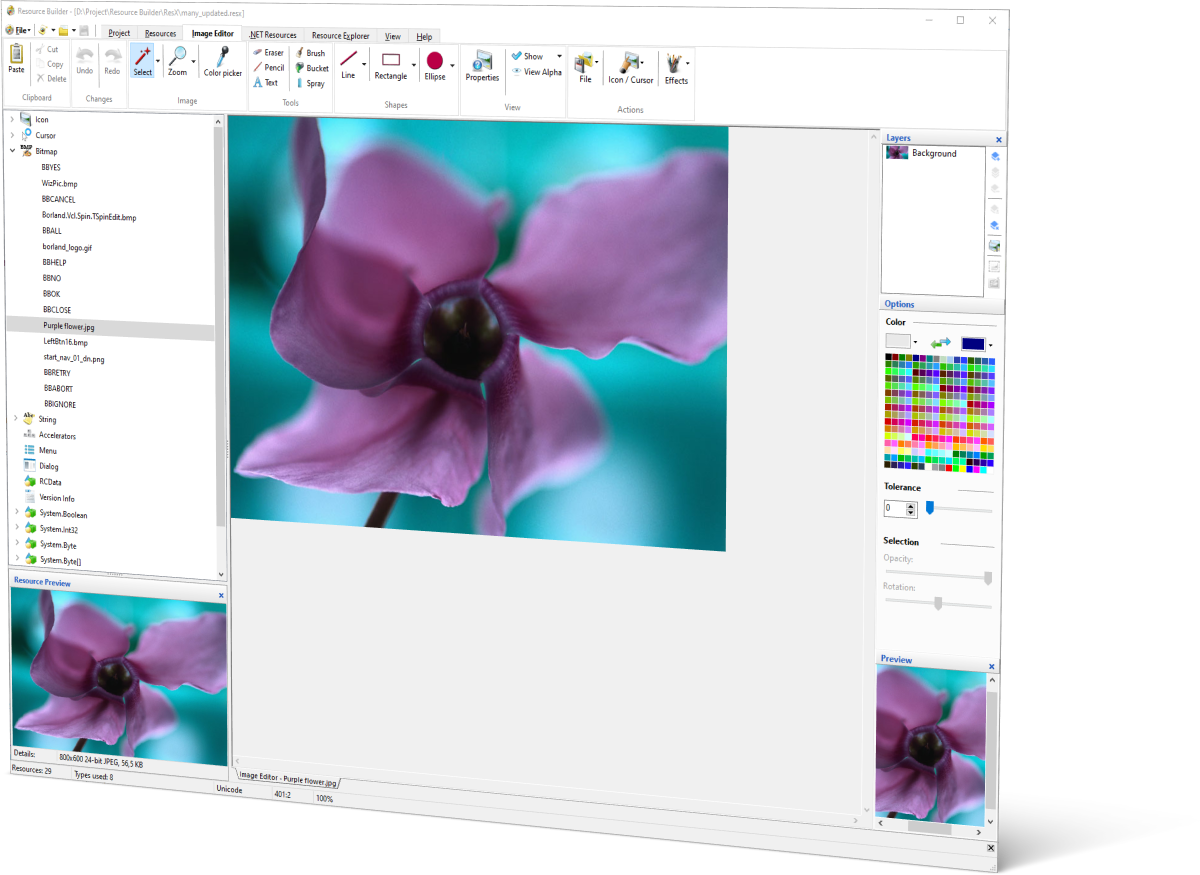
We’re excited to announce Resource Builder 5.0, the biggest update to Resource Builder since version 4.0. It brings full .NET resource file support, a completely reworked multi-layer Image Editor, a raft of new import formats, and dedicated tooling for comparing and bulk-extracting resources.
Registered users of 4.x can read about upgrade eligibility on the Order page; everyone else can grab the free 30-day trial from the Download page.
Full .NET Resource File Support (.resx / .resources)
Resource Builder can now open, edit, and save .resx and .resources files directly. Add, rename, delete, and edit entries the same way you already work with native resources, with the same tree view and per-type editors you’re used to.

Bitmap, Icon, and Cursor entries get the full visual editors. The Icon/Cursor tools even reuse the same multi-size "New Resource" wizard native projects use.

String, Boolean, and numeric entries (Byte/Int16/Int32/Int64/ByteArray) get dedicated value editors, including proper checkbox editing for booleans instead of free-text "True"/"False".

Everything else round-trips safely as opaque data, so nothing in a .resx/.resources file you didn't touch ever gets silently dropped or corrupted.

Import, Merge, and Compare (see below) all understand .resx/.resources now too, not just native .rc/.res/.exe/.dll.

New conversion tooling: turn a .resx into .resources (or back), or convert either one straight into a native .res/.rc file. Bitmap/Icon/Cursor entries become real native resources, and everything else becomes named RCDATA, byte-for-byte preserved. Available in the GUI and from the command line (-conv).
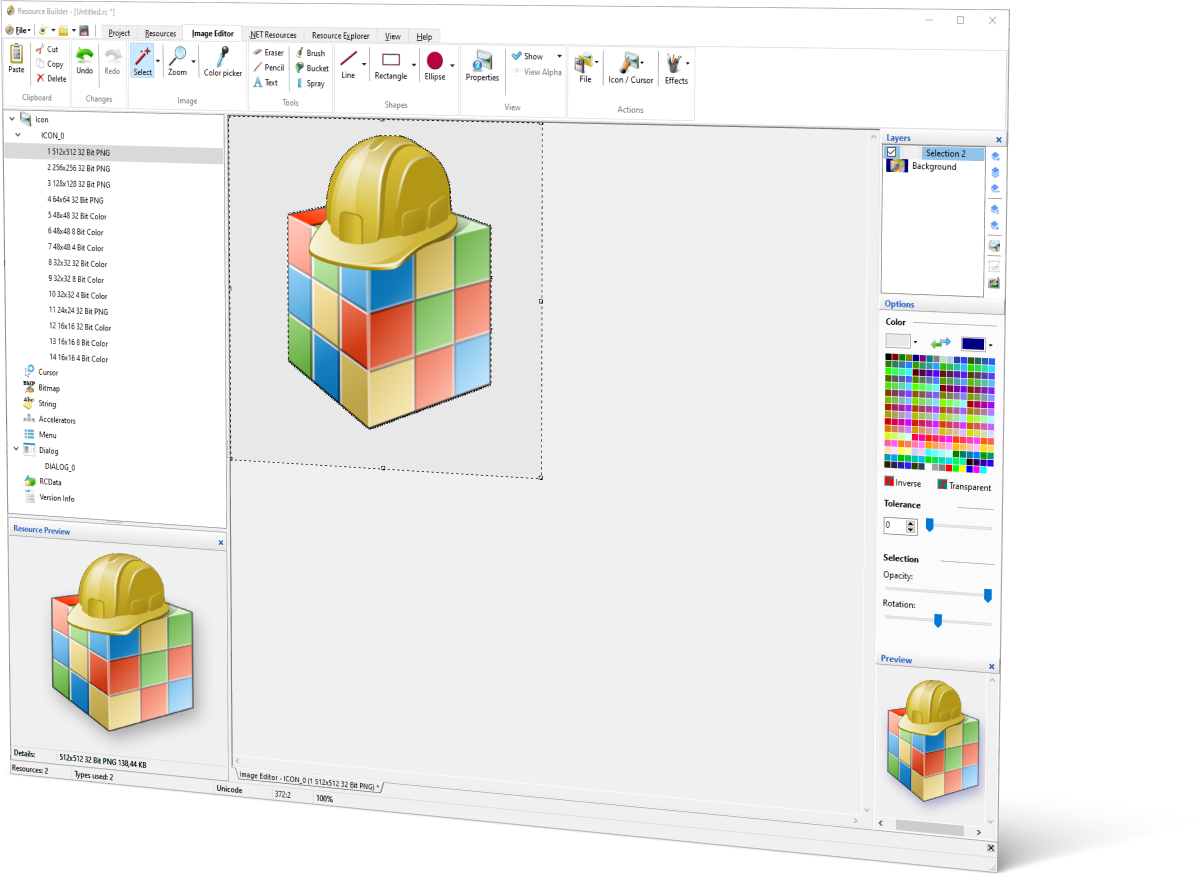
A Real Multi-Layer Image Editor
The Image Editor moves from a single editable layer to full multi-layer editing. Layers are a working surface for editing, the same way they are in Photoshop or GIMP. Everything still flattens down to a single image when you save, so there’s no new resource format or compatibility concerns.
The Image Editor’s selection tools gained real capability beyond the original rectangle/lasso pair.

A docked Layers panel with live thumbnails, visibility checkboxes, and drag-to-reorder.
New, Duplicate, Delete, Merge Down, and Merge Visible, available from the panel toolbar and a right-click menu.

Every drawing tool, selection tool, and effect (Bevel, Sharpen, Emboss, Gaussian Blur) now targets whichever layer is active.

Import layered PSD files directly. Each Photoshop layer becomes a real, independently editable layer in the Image Editor, with name, opacity, and visibility carried over.

Ellipse selection; Magic Wand, a tolerance-based, contiguous flood-fill selection, including selections with holes; Invert Selection (Ctrl+Shift+I, matching Photoshop/GIMP); Grow, Shrink, and Border selection, for refining a selection's edges after the fact. Add/Subtract modifier keys with live cursor feedback while selecting.
New Image Format Support
The Image Editor and every “import from file” dialog across the app (New Resource wizard, Update from File, drag-and-drop, the Resource Explorer) now accept a much wider range of source formats:

SVG, imported and rasterized crisply at whatever size you need (an icon's 16x16 and 256x256 frames are each rendered fresh from the vector source, never stretched from one raster). You can also keep a resource's SVG source as editable text if you prefer.

WebP, WBMP and also a long list of formats via a new conversion engine: PSD/PDD (Photoshop), TIFF, TGA, PCX, PCD, SGI, CUT, RLA, PSP, PPM, and several others.
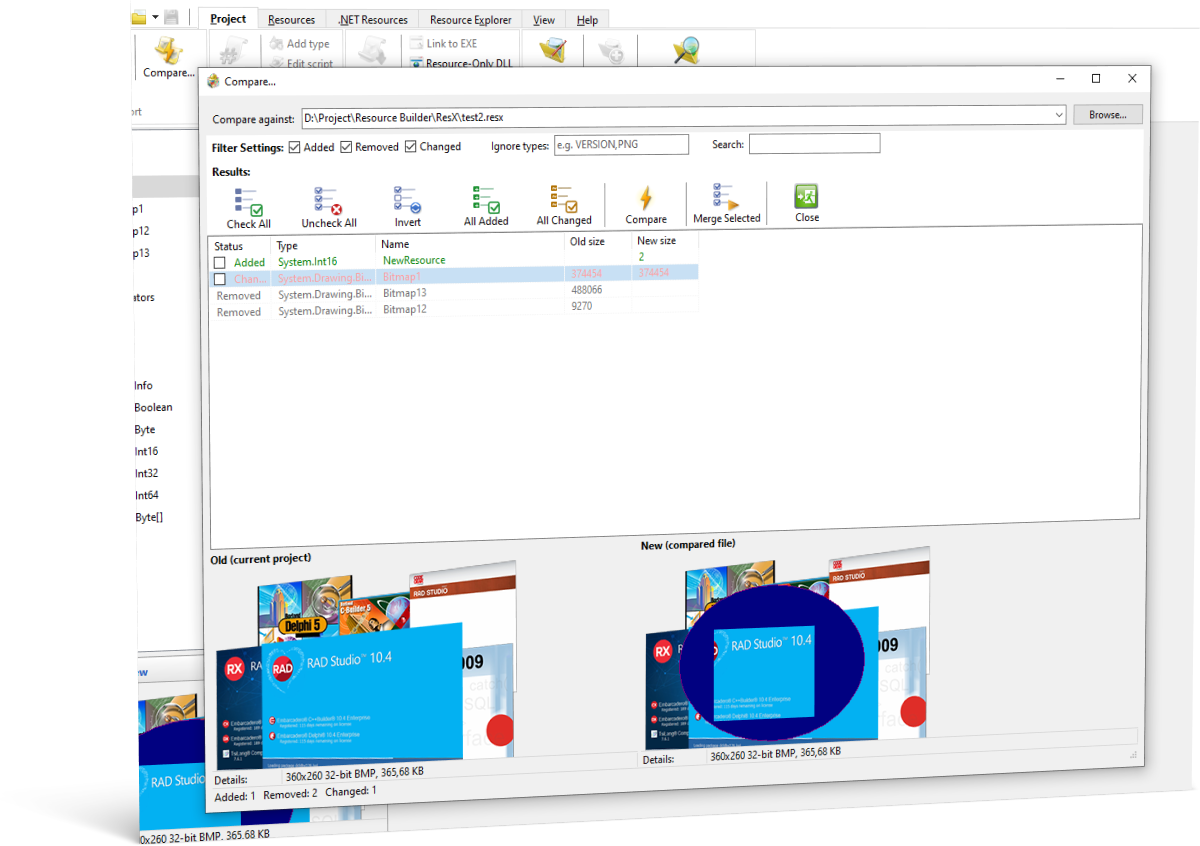
Compare Resources: Catch Regressions Before You Ship
A new Compare… dialog diffs your open project against any other .res, .rc, .exe, .dll, .resx, or .resources file, showing exactly what was added, removed, or changed. It includes proper grouping for multi-size icons and cursors, side-by-side previews, and selective merge of the differences you want to keep.
The same comparison is available from the command line via sircc64 -diff, so you can wire a resource-regression check straight into your build or CI pipeline, with options to fail the build on a missing resource or a dropped string inside a string table.
Bulk Resource Extraction
A new Extract Resources from Files… tool scans a list of files or folders (wildcards supported) and pulls every resource out to individual external files. Icons and cursors are reassembled as real standalone .ico/.cur files, bitmaps are written in their original format, and everything else gets a sensible fallback. Available as a GUI dialog or from the command line via -unpack, for scripting large recovery or migration jobs.
Also in This Release
- Manifest Wizard, brought up to date with per-monitor DPI v2, long-path awareness, UTF-8 code page, Segment Heap, and Windows 11
supportedOSentries. - A proper Manifest resource editor for manifests already embedded in a project or EXE, so you’re no longer stuck with plain text for a resource type with real structure.
- Batch icon export: pull every size and color depth out of a multi-size icon as individual PNG files in one step.
- Re-signing awareness: Resource Builder now warns before patching resources into an already Authenticode-signed EXE/DLL, since that invalidates the signature. Command-line linking refuses by default and requires an explicit
-forcesignto proceed, so unattended CI runs can’t silently break a signature. - Wildcard/multi-file batching for the command-line compiler and linker switches, real process exit codes for scripting, and a large number of RC compiler, dialog editor, and text editor fixes.
Get Resource Builder 5.0
- Trial download: resource-builder.com/download-resource-builder
- Upgrade pricing for existing users: resource-builder.com/order-resource-builder
- Full feature list: resource-builder.com/resource-builder-features
As always, we’d love to hear what you think. Drop us a note on the Forum or through the Contacts page.